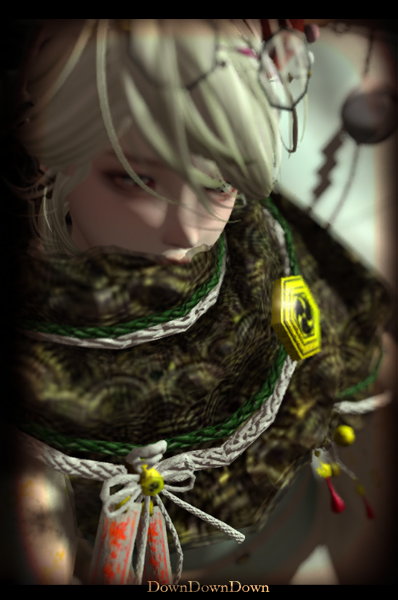
DDD_Fluffy Short tail(normal) with Animation HUD
Price= 650L$ → 486L$ (Pre-sale & 25% OFF)
Permission=Mod Copy OK
Prim= Tail 2prim , 12Landimpact / HUD 9 prim , 8 Landimpac
Demo=Yes
Script=Yes
Mesh=Yes,Rigged( none deform Bento )
content=
DDD_Fluffy Short tail(normal)_tail/(Tail Base)
DDD_Fluffy Short tail HUD/(Center 2)
DDD_How to use Tail(En/Jp)/(Notecard)
DDD_How to use "fluffy short tail HUD"(En/Jp)/(Notecard)
DDD_Fluffy-Short-tail(normal)_POP/(Texture)
DDD_Fluffy Short tail HUD_Pose set/(Tail pose box)
38 texture. 6 animation. 10 pose.
Touch the tail to change the texture.
The animation of the tail wears HUD.
All animations and poses in the HUD are movements of the tail only.
You can add your pose to this HUD.
For details of animation HUD please see this page.
Press the switch to start the animation of the tail.
Please press switch again when you want to stop animation.
You can select the type of animation by pressing the above zooming button.
It is not possible to change the size of HUD. You can change the position of the HUD.
Minimized state
This mark is cyclic animation.
◇ Tab description ◇
Anime
You can choose animated animations / multiple.
You can also switch the animation automatically every few seconds. (Type fixed)
Pose
You can choose a stopped pose.
Custom
Play the pose and animation you set.
You can also switch poses automatically every few seconds.
Setting
Read the setting of the pose you want to use in Custom.
Reset script.
Change the time of automatic switching of animation.
Detach
Remove the HUD.
◇ How to add Custom pose ◇
Add the animation and pose you want to use into the HUD.
Fill in the settings on the note card. (Writing is described later)
Press "Load Note" on the setting tab. Then the HUD loads the setting.
Each time you change the contents of the HUD or save the note card, Custom will be in the initial state. In that case please press "Load Note" to apply the setting.
You can change the texture by touching the "Specimen".
The script of this product has a management with the name of the "Description" of the object. Script will work if you add the prim or unlink the item.
Refer to the "Specimen description" To check the position of the description.
Please do not change the "description" of the product. Please re-enter Correct description if you happen to change by mistake. Please be careful as space key does not enter into the description field.
Set as main prim, the prim containing the script.
Note applies to all prims is "DDD_Specimen(Sky Memory)_Stone" the Description field if you want to change the texture of the "Stone” for example.
■Name list of the Description field■
DDD_Specimen(Sky Memory)_Stone
DDD_Specimen(Sky Memory)_Base
■Parmit■
This feature allows you to change the range of people that can be put out the dialog. (Function for Rez)
[Owner]Only an owner can use a dialog.
[Everyone] All of the people I will be able to issue a dialog.
[Group] Those who activate the same group tag as the owner of an object and the group of this object can use a dialog. Change of a group can be performed from the General tab of Build tool.